
Meta Advantage+ Audiences: Agency Tests vs Manual Targeting
See how Meta Advantage+ audience expands beyond seed targeting, when manual controls matter, and how an agency tests creative and conversion signals for ROAS.
Meta Advantage+ Audiences: Agency Tests vs Manual Targeting ! Specialist comparing two paid social campaign tests Meta Advantage+ audience is an AI-driven targeting tool that expands your reach beyond the manual selections you make, finding people most likely to convert based on your campaign signals.


TL;DR: Quick Answer
See how Meta Advantage+ audience expands beyond seed targeting, when manual controls matter, and how an agency tests creative and conversion signals for ROAS.
Key takeaways
- Very cheap quotes (under R5,000) almost always exclude copywriting, SEO, custom design and post-launch support
- On-page SEO built into the website at launch costs a fraction of what it costs to retrofit after the site is live
- Hosting, SSL, domain and maintenance add R3,000-R10,000 per year on top of build cost
- E-commerce adds significant cost due to payment gateway integrations, product data, security requirements and checkout UX
- Timeline and client responsiveness directly affect cost: slow feedback rounds extend agency hours

Meta Advantage+ audience is an AI-driven targeting tool that expands your reach beyond the manual selections you make, finding people most likely to convert based on your campaign signals. We recommend it for conversion-focused prospecting once your pixel or Conversions API is sending clean, consistent data. If your signals are thin or your campaign needs tight compliance controls, start with manual targeting and test from there, a path we walk through below.
TL;DR:
- Use Advantage+ after several months of stable conversion data and three to five creative angles; new pixels and single ad variants favour manual targeting.
- Treat exclusions as firm boundaries, but treat interests and seed audiences as suggestions; housing, credit, and employment campaigns still face Meta's special category limits.
- Compare matched budget campaigns with identical creative for two to three weeks, tracking cost per result alongside return on ad spend or lead quality.
- Verify pixel and Conversions API events before launch, because tracking quality shapes expansion; refresh customer lists so the system learns from current buyers.
How Advantage+ audience works
Advantage+ audience runs on a mix of inputs you provide and signals Meta already holds. According to Meta's own documentation, the system treats your audience selections as seeds rather than fixed filters, then searches for people likely to meet your campaign objective, even outside those seeds.
The model draws on several data sources at once:
- Pixel and Conversions API events, which show which website actions matter to your business.
- Customer lists, which help the system recognise patterns among people who already buy from you.
- Campaign objective, which tells Meta what outcome to optimise towards (purchases, leads, app installs).
- Creative performance, which feeds back into who the system shows your ads to next.
This is where the distinction between controls and suggestions matters. Exclusions you set, such as removing existing customers or people under a certain age, are hard boundaries the system respects. Seed audiences and interest inputs are soft signals: starting points the model can expand past once it finds better-converting segments. Meta's help centre frames this as augmenting your intent rather than replacing it, which is a meaningful difference from how detailed targeting used to work.
Advantage+ audience applies across every placement your campaign includes, meaning Facebook and Instagram behave as one connected pool rather than two separate targeting exercises, according to Meta's product documentation. This matters if you have historically treated Instagram targeting as a separate decision: under Advantage+, placement settings determine where ads run, while audience expansion happens across whichever placements you select.
The practical takeaway is that data quality upstream determines targeting quality downstream. Weak signals in, weak expansion out.
When to use Advantage+ audience vs manual detailed targeting
The right choice depends less on preference and more on what your campaign already has: data volume, creative variety, and how much precision your category legally or practically requires.
Run through this before you decide:
- Check your signal volume. Advantage+ needs enough recent conversion events to learn from, so brand-new pixels or low-traffic accounts often underperform here.
- Count your creative variants. A single static ad limits what the system can test; three to five creative angles give it more to work with.
- Review your compliance requirements. Housing, credit, and employment ads fall under Meta's special ad category rules, which restrict some targeting options regardless of which method you choose.
- Assess your timing. A short, time-boxed promotion rarely gives the algorithm enough runway to learn, since Meta's documentation notes the system improves as it accumulates conversion data.
- Match the method to the objective. Prospecting for purchases or leads tends to suit Advantage+; niche B2B audiences with small total populations often still do better under manual, detailed targeting.
Advantage+ tends to shine in retail, ecommerce, and lead generation campaigns where the pool of potential buyers is broad and the pixel has months of history. Manual targeting still earns its place for narrow professional audiences, tightly regulated categories, or campaigns where brand safety demands precise placement control.
Many advertisers land on a blend: they run Advantage+ detailed targeting, which expands beyond your chosen interests or demographics while still letting you set a starting point, then layer exclusions on top to keep the expansion within reasonable limits.
Pro Tip: Run Advantage+ and a manual control campaign side by side for two to three weeks before retiring either one. You learn more from the comparison than from either approach alone.
Setting up, controlling, and disabling Advantage+ audience
Getting Advantage+ running correctly takes a handful of deliberate steps in Ads Manager, and the controls you set early shape how well it performs later.
To enable and configure it:
- Open Ads Manager and create or edit an ad set, where Advantage+ audience appears as the default audience option for most campaign objectives.
- Add your seed signals first: connect your pixel, confirm Conversions API events are firing, and upload a customer list if you have one.
- Set your exclusions before launch, removing existing customers, employees, or any group you need to keep out of reach.
- Apply any required placement or demographic restrictions relevant to your category, particularly for special ad categories under Meta's policy.
- Launch with a budget that can sustain a learning phase of at least a week before you judge results.
Some practical notes on priority:
- Pixel and Conversions API data generally carries more weight than interest-based seeds, so fix tracking issues before troubleshooting audience performance.
- Customer lists work best when they are recent and reasonably sized, since stale lists teach the system outdated patterns.
- Exclusions apply immediately and persist, so review them whenever you relaunch a paused campaign.
To revert to manual, detailed targeting, open the ad set's audience section, switch off Advantage+ audience, and rebuild your interest, demographic, and location selections from scratch. Meta does not carry your Advantage+ learnings over automatically, so treat this as a fresh campaign for testing purposes.
Performance evidence, testing, and how to measure results
Independent testing paints a mixed but generally encouraging picture. Search Engine Land's testing coverage found that results vary by account, with some tests showing lower cost-per-click and cost-per-acquisition under Advantage+, while others showed no meaningful difference, depending heavily on data quality and creative strength.
Independent reviews consistently tie Advantage+ performance to signal quality and creative relevance rather than to the feature itself, according to testing summaries from Search Engine Land, meaning the same campaign setup can produce different outcomes on different accounts. WordStream's analysis echoes this, noting that Advantage+ can speed up scale but advertisers should still watch conversion quality closely.
To test this properly on your own account:
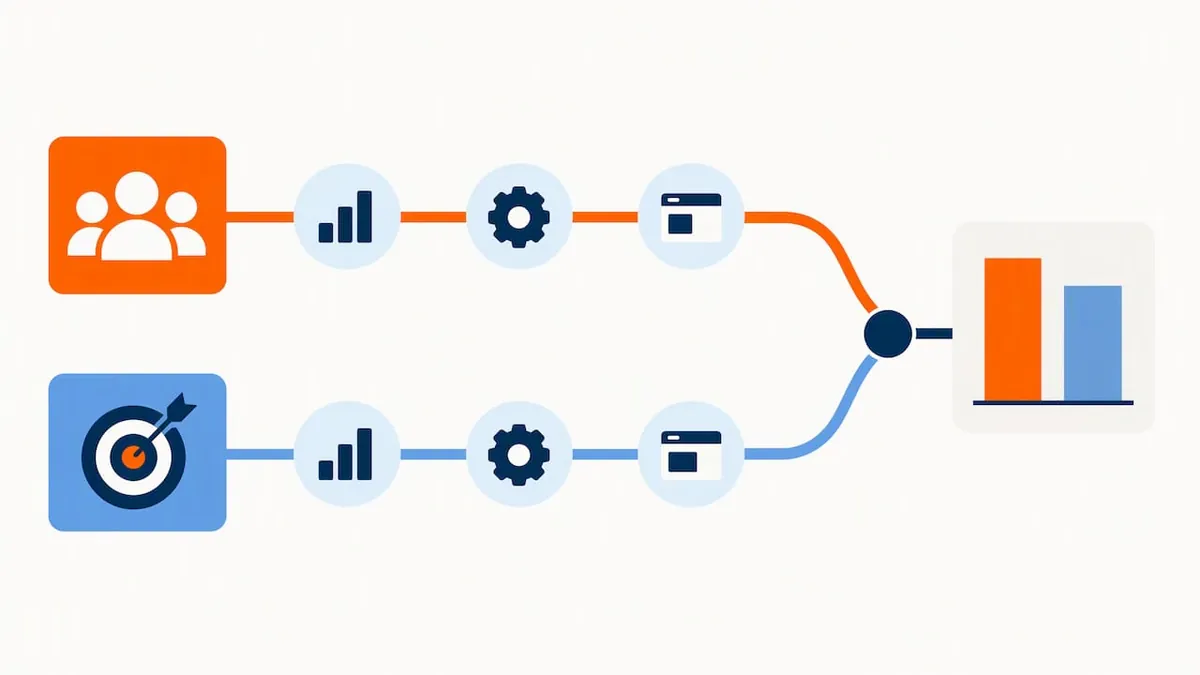
- Build a holdout: run a manual, detailed targeting campaign alongside your Advantage+ campaign with matched budgets and identical creative.
- Give each test a minimum window of two to three weeks, since short bursts rarely clear the learning phase.
- Keep creative parity between the two campaigns so you are testing audience method, not ad quality.
- Track cost-per-result alongside a downstream metric like return on ad spend or lead quality score, not cost alone.
KPIs worth prioritising shift by objective: cost-per-purchase and ROAS for ecommerce, cost-per-lead and lead quality for generation campaigns, cost-per-install and Day 7 retention for apps. Watch for a common misread: cost-per-click can fall under Advantage+ while the people clicking convert at a lower rate, a gap you only catch by tracking full-funnel metrics rather than top-of-funnel cost alone.
Controls, compliance, and keeping campaigns on brand
Automation does not mean giving up the levers that matter. You retain exclusions, placement controls, and creative-level settings regardless of whether Advantage+ audience is switched on.
A short checklist keeps intent protected:
- Set exclusions before launch, covering existing customers, competitors' staff, or any segment outside your target.
- Restrict placements where brand safety matters, such as removing certain in-stream video or Audience Network slots.
- Review creative assets for compliance with your category's advertising rules, since Advantage+ does not substitute for policy review.
- Audit reporting regularly, checking the breakdown by placement and demographic to confirm the automated reach still matches your intent.
For regulated categories such as housing, credit, or employment, Meta's special ad category framework limits some targeting options by law, and these restrictions apply whether you run Advantage+ or manual targeting. Transparency tools in Ads Manager, including the breakdown reports, let you see where your budget actually went, which is the simplest way to catch drift from your original intent.
Pro Tip: Schedule a brief audience and placement review every two weeks rather than only when performance dips. Catching drift early is far easier than untangling it after a month of spend.
How founder-led agencies apply Advantage+ in real campaigns
We run Advantage+ audience across client accounts as part of our day-to-day paid social work, and the pattern that holds up best is simple: strong signals in, careful review often, and budget that respects the learning phase.
Our approach starts with data hygiene. Before switching any account onto Advantage+, we confirm the pixel and Conversions API are both firing cleanly and that customer lists are current. From there, we run short test windows, usually two to three weeks, comparing Advantage+ against a manual control before committing full budget.
We aim for our clients to achieve strong return on ad spend and track performance closely alongside placement and audience breakdowns rather than cost alone. One client saw a significant increase in qualified leads after restructuring their campaign signals and testing cadence, a result that came from disciplined setup rather than simply flipping a switch.
A short operational checklist we follow on every account:
- Confirm pixel and Conversions API accuracy before any audience change.
- Run staged tests with matched budgets before fully committing.
- Review reporting weekly during the learning phase, then biweekly after.
- Reassess exclusions whenever creative or offers change.
If you are running this yourself, copy the cadence: clean data first, staged testing second, review third.
When I reach for Advantage+ and why
I default to Advantage+ audience once an account has at least a few months of stable conversion data and more than one strong creative angle to test. Thin data or a single ad variant usually means manual targeting still wins, at least for the first few weeks.
Automation handles the breadth of searching for converters well, but it still needs a human checking exclusions, reviewing placement reports, and catching when a cheaper click stops meaning a better customer. Pair the two, and you get speed without losing the judgement calls that protect your budget.
, Cobus
How we help advertisers put Advantage+ to work
Running Advantage+ profitably takes more than flipping a toggle: it takes clean signals, disciplined testing, and someone reviewing the account often enough to catch drift early. That is the work we do directly, founder to client, with no account managers in between.
If you want this kind of oversight on your own Meta campaigns, our paid advertising packages start at R6,000 per month for the Local plan, with Growth plans from R9,500 per month for accounts needing broader scale.
Get in touch through our contact page and we will walk through your current setup before recommending a plan.
FAQ
Who is Meta's target audience?
Meta's advertising reach spans the people active across Facebook and Instagram, and within that pool, Advantage+ audience narrows targeting to those most likely to meet your specific campaign objective, based on your conversion signals and creative performance.
How do I turn off the Advantage+ audience on Meta?
Open the ad set's audience section in Ads Manager and switch off Advantage+ audience, then rebuild your interest, demographic, and location selections manually. Meta does not carry Advantage+ learnings over, so treat the relaunch as a fresh test.
What is the meaning of Advantage+ audience?
Advantage+ audience is Meta's AI-driven targeting system that uses your audience selections as a starting point, or seed, then expands reach to people likely to convert based on your campaign objective and conversion signals, rather than limiting delivery to your manual selections alone.
Can Advantage+ audience be used on Instagram?
Yes, Advantage+ audience applies across the placements your campaign includes, according to Meta's product documentation, so Instagram is covered automatically whenever it is selected as a placement.
Sources
We drew on Meta's Business Help Center documentation for how Advantage+ audience and Advantage+ detailed targeting work, alongside independent testing from Search Engine Land and practical comparisons from WordStream. For sellers weighing marketplace placements, Facebook Marketplace pricing data offers useful context on transaction behaviour.
- About Advantage+ audience | Meta Business Help Center
- About Advantage+ Detailed Targeting | Meta Business Help Center
- Testing Meta's AI-powered 'Advantage' targeting | Search Engine Land
- Meta Advantage+ vs manual settings | WordStream
Recommended
- Audience Targeting: Reach the Right People With Your Ads
- AI Tools vs a Marketing Agency: Can I Just Do It Myself?
- Managing Google Ads Myself vs Hiring an Agency
- Boosting Posts vs Meta Ad Campaigns: The Real Difference