
What is Google Shopping Ads? Your 2026 guide
Discover what is Shopping Ads Google in 2026. Learn how they boost visibility and sales with compelling visuals and details.
How Google Shopping Ads work for South African retailers, and how to set them up in 2026.



TL;DR:
- Google Shopping Ads display product images, prices, and store names directly on Google search results to attract active buyers.
- They rely on a detailed product feed in Google Merchant Center and are managed through Performance Max campaigns that automate distribution.
Google Shopping Ads are visual product listings that display an image, price, title, and store name directly on Google search results, giving shoppers the information they need before they click. Unlike traditional text ads, this format shows your product in full detail at the moment a buyer is actively searching. The officially recognised industry term is “Shopping Ads,” managed through Google Merchant Center and Google Ads. For South African retailers, prices display in ZAR, making the format immediately relevant to local buyers. This guide covers how Shopping Ads work, how to set them up, and how to get the most from them in 2026.
What is Google Shopping Ads and how does it differ from text ads?
Google Shopping Ads display product images, price, title, and store name, giving users a clearer view before clicking and resulting in more qualified leads. A text ad shows a headline and a description. A Shopping Ad shows your actual product, its price in ZAR, and your store name. That difference matters because a buyer who clicks already knows what they are getting. They have seen the price, the image, and the brand. That pre-click transparency shortens the sales funnel considerably.

Text ads compete on keyword relevance alone. Shopping Ads compete on product data quality, bid, and relevance combined. A retailer selling running shoes, for example, does not write ad copy for every shoe model. Instead, Google pulls the product title, image, and price from a data feed and builds the ad automatically. This approach scales far better for stores with large catalogues.
Shopping Ads also appear in a dedicated Google Shopping tab, not just the main search results page. That gives your products two potential placements from a single campaign. 59% of shoppers use Google to research purchases before buying, which means your products appear exactly where purchase intent is highest.
How do Google Shopping Ads work?
Shopping Ads run on two connected platforms: Google Merchant Center and Google Ads. Understanding both is non-negotiable for anyone managing these campaigns.
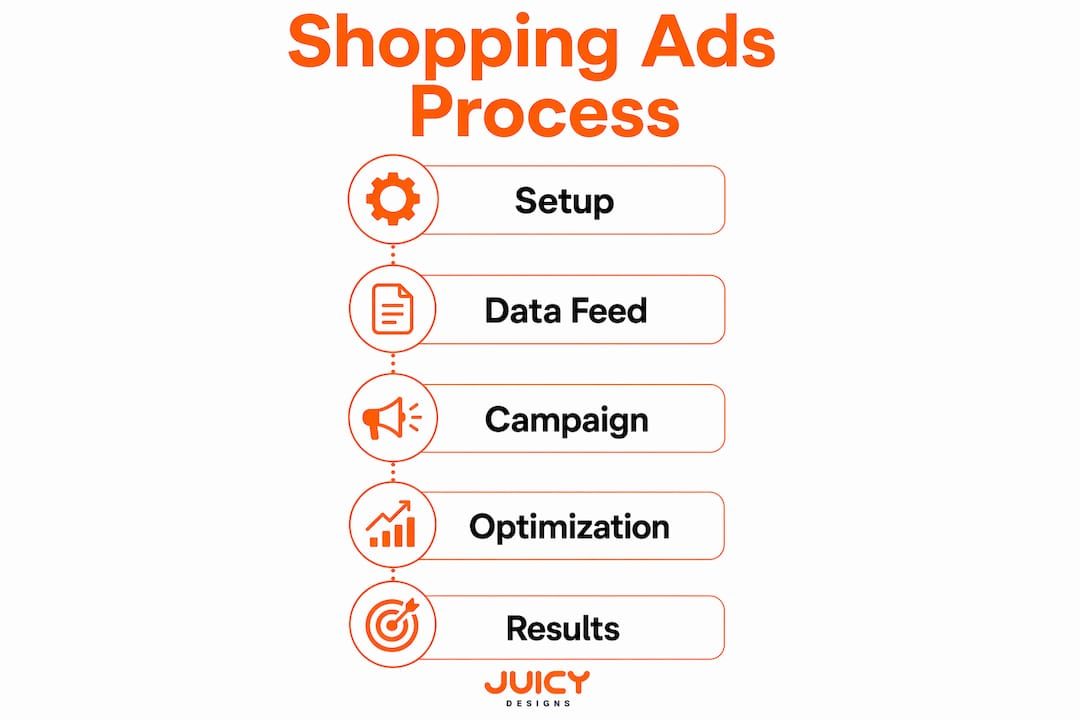
The role of Google Merchant Center
Google Merchant Center is free to use and stores all your product data, including titles, descriptions, images, prices, and availability. Google reads this data to decide which products to show for which searches. The quality of your product feed directly determines how often and how prominently your ads appear. A feed with vague titles or missing attributes will underperform, regardless of your bid.
How Performance Max campaigns distribute your ads
Performance Max is the primary campaign type for Shopping Ads in 2026. Smart Shopping campaigns are deprecated. Performance Max automates ad distribution across Google Search, YouTube, Display, and Maps from a single campaign. Google’s machine learning decides where and when to show your products based on your budget, goals, and product feed data. This automation does the heavy lifting across multiple channels simultaneously.
The auction and placement process
Google runs an auction every time a user searches for a product. Your bid, product feed quality, and landing page relevance all influence your ad’s position. Higher bids do not guarantee top placement. A well-optimised feed with accurate data can outperform a higher-spending competitor with a weak feed. Proper bidding strategies and product group segmentation are key for improving campaign return on ad spend.
- A user searches “white Nike running shoes size 10” on Google.
- Google scans eligible product feeds for matching items.
- An auction runs using bid, feed quality, and relevance scores.
- The winning products appear as Shopping Ads at the top of the search engine results page.
- The advertiser pays only when the user clicks the ad.
Pro Tip: Use specific, descriptive product titles in your feed. Include brand, model, size, and colour. Google matches these attributes to user search queries, so vague titles like “Men’s Shoe” will miss most relevant searches.
Setting up Google Shopping Ads: essential steps for 2026
Setting up Shopping Ads requires completing several steps in the correct order. Skipping any step causes feed disapprovals or account suspensions.
- Create and verify your Google Merchant Center account. Go to Merchant Center, add your business details, and verify your website using a Google tag, HTML file, or Google Search Console. Verification proves you own the site.
- Upload and optimise your product feed. Your feed must include required attributes: ID, title, description, link, image link, availability, price, and Google product category. Missing required fields trigger automatic disapprovals.
- Set shipping and tax settings accurately. Shipping and tax settings in Merchant Center must exactly match those on your website checkout. Discrepancies trigger automated policy suspensions by Google. For South African retailers, this means your ZAR shipping costs and VAT settings must mirror your checkout exactly.
- Link Merchant Center to Google Ads. Open Google Ads, go to linked accounts, and connect your Merchant Center. This connection allows Google Ads to access your product data for campaign creation.
- Create a Performance Max campaign in Google Ads. Select “Sales” as your campaign goal, choose Performance Max as the campaign type, and select your Merchant Center feed as the asset source. Set your daily budget in ZAR and your target return on ad spend.
- Review and resolve feed disapprovals. Check the Diagnostics tab in Merchant Center regularly. Google flags issues like price mismatches, missing GTINs, and policy violations. Resolve these before expecting consistent ad delivery.
Pro Tip: South African sellers frequently face feed suspensions because the shipping cost shown in the Shopping Ad does not match the actual checkout price. Audit your Merchant Center shipping settings against your live checkout at least once a month to avoid losing visibility.
What are the benefits of Google Shopping Ads for retailers?
Shopping Ads deliver advantages that text ads simply cannot match, particularly for product-focused businesses.
Shopping Ads give marketers a direct path to reach consumers actively searching to buy, shortening the sales funnel compared to organic SEO approaches. A buyer searching “leather office chair ZAR 3,500” and clicking a Shopping Ad is far closer to purchasing than someone reading a blog post about office furniture. That intent gap is the core commercial advantage.
Integrating paid Shopping Ads with organic growth strategies creates a full-funnel presence. Paid ads capture immediate buyers while organic content builds long-term brand authority. Using both together produces compounding results over time.
| Feature | Shopping Ads | Text search ads |
|---|---|---|
| Visual product display | Yes, with image and price | No |
| Pre-click price transparency | Yes | No |
| Feed-driven automation | Yes | No |
| Placement locations | Search, Shopping tab, YouTube, Display, Maps | Search results only |
| Lead qualification | Higher, due to visual context | Lower |
| Setup complexity | Moderate, requires product feed | Lower |
Free listings in Google Merchant Center exist and require no ad spend, but paid Shopping Ads secure prioritised placement and full campaign control. Free listings are a useful supplement, not a replacement. Paid ads consistently appear above free listings in search results.
Common challenges and how to optimise Shopping Ads performance
Shopping Ads reward discipline. The most common failure points are preventable with consistent management.
- Feed quality is the single biggest lever. Weak product titles, missing GTINs, and outdated prices all reduce ad eligibility. Audit your feed weekly and update it whenever your website inventory changes.
- Shipping mismatches cause suspensions. Google automatically checks Merchant Center shipping settings against your site checkout. A R50 difference between your feed and your checkout is enough to suspend your products.
- Segment product groups by performance. Do not run all products in one undifferentiated group. Separate high-margin products, bestsellers, and clearance items into distinct groups. This lets you bid more aggressively where it counts.
- Use negative keywords. Performance Max allows negative keyword lists at the account level. Add irrelevant search terms to prevent wasted spend. A retailer selling premium furniture does not want clicks from people searching “cheap flat-pack shelves.”
- Monitor the Search Terms report. Google Ads shows which queries triggered your Shopping Ads. Review this report weekly and add irrelevant terms as negatives.
- Align your feed with your website in real time. Price changes, stock updates, and new products must reflect in your feed immediately. Stale data causes disapprovals and poor user experience.
Pro Tip: Use bidding strategy guidance tailored to your product margins. A target ROAS bidding strategy works well once you have sufficient conversion data, typically 30 or more conversions in the past 30 days. Before that threshold, use Maximise Conversion Value to build data.
Key takeaways
Google Shopping Ads outperform text ads for product-focused businesses because they combine visual product data, price transparency, and automated distribution through Performance Max across Google’s full network.
| Point | Details |
|---|---|
| Visual format drives qualified clicks | Showing image, price, and store name before the click attracts buyers with genuine purchase intent. |
| Merchant Center is the foundation | Accurate, complete product feeds in Google Merchant Center determine ad eligibility and placement. |
| Performance Max is the standard in 2026 | Smart Shopping is deprecated; Performance Max automates delivery across Search, YouTube, Display, and Maps. |
| Shipping accuracy prevents suspensions | ZAR shipping and VAT settings in Merchant Center must match your live checkout exactly. |
| Feed maintenance is ongoing | Weekly feed audits and real-time inventory updates protect ad delivery and campaign performance. |
My honest take on Google Shopping Ads in 2026
After working with South African retailers across multiple product categories, the pattern is consistent: businesses that treat their product feed as a marketing asset outperform those that treat it as a technical checkbox. The feed is your ad. Every title, every price, every image attribute directly shapes what Google shows and to whom.
The shift to Performance Max has been significant. Automation handles distribution across channels that would previously require separate campaigns and separate budgets. That efficiency is real. But automation does not replace judgment. I have seen Performance Max campaigns waste significant ZAR budgets on irrelevant placements because the asset group lacked clear signals. You still need to provide strong creative assets, accurate audience signals, and a well-structured feed to guide the algorithm.
The shipping mismatch issue is the most underestimated problem for South African retailers specifically. Google’s automated checks are unforgiving. A retailer with a perfectly optimised feed can lose all Shopping Ad visibility overnight because their Merchant Center shipping table shows R0 free shipping while their checkout charges R99 for orders below a threshold. I check this for every client during onboarding and find a discrepancy more often than not.
My recommendation for 2026: treat Shopping Ads as a system, not a campaign. The feed, the bidding strategy, the landing page, and the Merchant Center settings all interact. Optimising one in isolation produces limited results. Manage the system as a whole, review it weekly, and your return on ad spend will reflect that discipline.
By Cobus
How Juicydesigns helps South African retailers with Shopping Ads
Juicydesigns manages Google Shopping Ads campaigns for South African businesses, handling everything from Merchant Center setup and feed optimisation to Performance Max campaign management. The team works directly with business owners, which means no account managers relaying messages and no generic strategies. Every campaign is built around your product catalogue, your margins, and your ZAR budget. Juicydesigns clients average a 4.8x return on ad spend, nearly double the industry standard. If you want a Shopping Ads campaign that is set up correctly from day one, request a free Google Ads proposal and get a strategy built for your store.
FAQ
What is Google Shopping Ads in simple terms?
Google Shopping Ads are visual product listings that appear on Google search results, showing a product image, price, title, and store name. They are powered by Google Merchant Center product data and managed through Google Ads campaigns.
How do Shopping Ads differ from regular search ads?
Shopping Ads display product images and prices before the user clicks, while text search ads show only a headline and description. This visual format attracts buyers with higher purchase intent and produces more qualified traffic.
Do I need a Google Merchant Center account to run Shopping Ads?
Yes. Google Merchant Center is free to use and stores the product feed that powers all Shopping Ads. Without a verified Merchant Center account and an approved product feed, Shopping Ads cannot run.
What is Performance Max and why does it matter for Shopping Ads?
Performance Max is the primary campaign type for Shopping Ads in 2026, replacing the deprecated Smart Shopping campaigns. It automates ad delivery across Google Search, YouTube, Display, and Maps from a single campaign using machine learning.
Are Google Shopping Ads worth it for South African retailers?
Yes, particularly for retailers with product catalogues and clear pricing. Shopping Ads reach buyers actively searching to purchase, display prices in ZAR, and consistently outperform text ads for product-focused businesses when the feed is well-maintained and campaigns are actively managed.
Recommended
- Google Shopping Ads: Setup Guide for SA Stores | Juicy Designs
- Google Shopping Ads Management South Africa | Juicy Designs
- How Google Ads work in South Africa: 2026 guide | Juicy Designs
- Dealership Google Ads: Complete 2026 Setup Guide