
4.8x ROAS With POPIA Safe WhatsApp Click to Chat Ads for SA Marketers
Practical setup, optimisation, and measurement for WhatsApp click to chat ads in South Africa. Includes POPIA compliant steps, tracking methods, and a...
4. 8x ROAS With POPIA Safe WhatsApp Click to Chat Ads for SA Marketers !


TL;DR: Quick Answer
Practical setup, optimisation, and measurement for WhatsApp click to chat ads in South Africa. Includes POPIA compliant steps, tracking methods, and a...
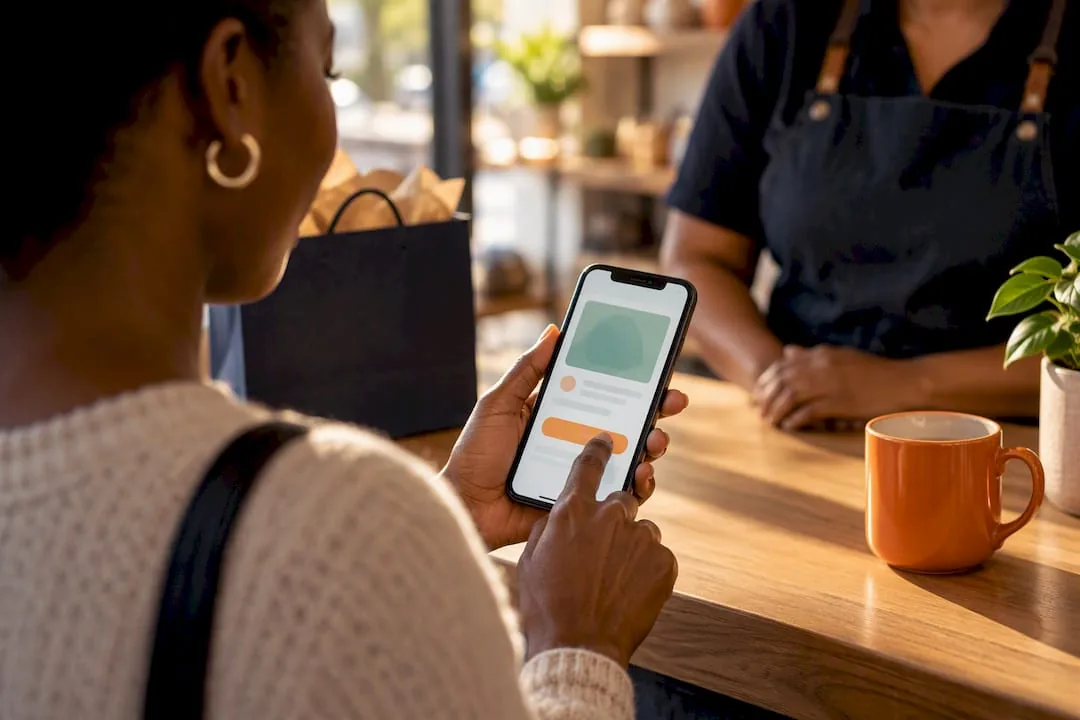
Click-to-WhatsApp ads are Facebook and Instagram ads that open a WhatsApp chat with a customer in one tap, and they work best when you want direct conversations that convert, whether that's a qualified lead, a product enquiry, or a recovered cart. You set them up in Meta Ads Manager by choosing Messaging Apps and selecting WhatsApp as the destination.
TL;DR:
- Using click-to-WhatsApp ads effectively requires matching the campaign type to your business size and chat volume, with API suitable for automation and the Business App for manual handling.
- Running a campaign for at least 7 days and testing one variable at a time, such as pre-filled messages or creative, helps optimise performance and measure true impact.
- Targeting audiences should align with the sales funnel, starting broad for prospecting and narrowing to remarketing or lookalikes for higher conversion chances.
- Ensuring proper tracking through pixels and CRM tagging is crucial, as switching from message to purchase optimisation can significantly boost sales and reduce cost per purchase.
- Complying with POPIA in South Africa involves obtaining prior consent, storing proof of opt-in, and providing clear identification and opt-out options in every message.
How click-to-WhatsApp ads work from tap to chat
When someone taps your ad, it opens WhatsApp (the app or web version) with a chat window already pointed at your business number. Meta and WhatsApp's own setup documentation confirms this is built directly into Ads Manager's messaging objective, so no separate integration is needed to launch a basic campaign.
Because the customer initiates the chat by tapping your ad, it counts as a customer-initiated conversation. That opens a 24-hour window during which you can reply freely before stricter messaging templates apply.
A few technical distinctions matter here:
- The free WhatsApp Business App suits small teams handling a manageable volume of chats manually.
- The WhatsApp Business Platform (the API) suits businesses that need automation, multiple agents, or CRM integration.
- Your choice affects how you route, tag, and scale conversations later, so pick based on expected chat volume, not just budget.
Setting up your first campaign in Ads Manager
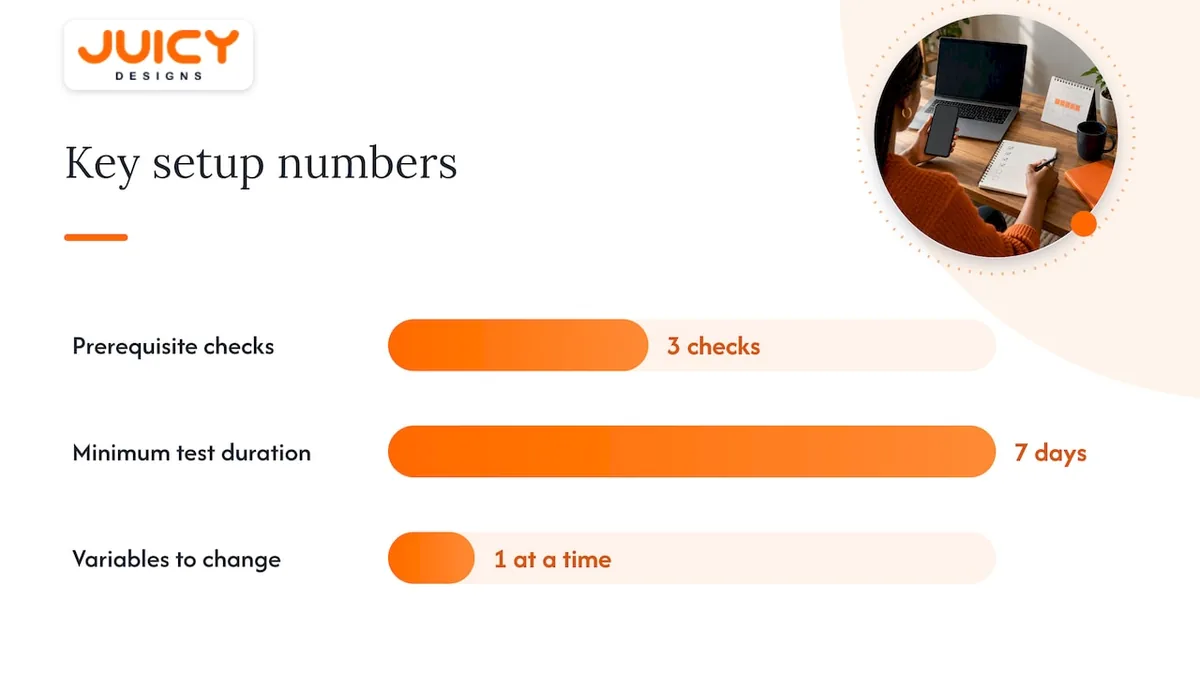
Before you touch Ads Manager, confirm three things: your Meta Business Manager account is set up, your WhatsApp number is verified and linked, and you know whether you're using the Business App or API. Skipping this step is the most common reason campaigns stall at review.
- Open Ads Manager and create a new campaign, choosing a messaging objective.
- Under Messaging Apps, select WhatsApp as your destination and confirm the linked number.
- Name and schedule the campaign, keeping naming conventions consistent for reporting later.
- Build your ad set: define your audience, set a daily or lifetime budget, and choose placements (Facebook, Instagram, or both).
- Build your ad creative: pick a format, write a clear CTA, and add a pre-filled message that opens automatically in the chat.
- Send a test message to yourself or a colleague to confirm the flow works before you publish.
Official WhatsApp for Business guidance recommends running a new campaign for at least 7 days before judging performance, then testing systematically rather than changing several variables at once.
Pro Tip: Keep one variable in motion at a time, whether that's the pre-filled message or the creative, so you know exactly what moved the needle.
Picking the right audience, budget and optimisation event
Your targeting strategy should match where the prospect sits in the funnel. Cold prospecting works for broad awareness, lookalike audiences built from existing customers tend to convert faster, and remarketing to website visitors or people who already engaged with your ads usually delivers the strongest reply rates.
- Keep prospecting audiences within Meta's general scale guidance of roughly 2 to 10 million people for stable delivery.
- Start with a modest daily budget and let the algorithm exit the learning phase before scaling.
- Choose purchase optimisation when you can reliably track a sale and message optimisation when the goal is simply to start conversations.
- Confirm your pixel or Conversions API is firing correctly, since Meta cannot optimise towards outcomes it can't measure.
Purchase optimisation tends to reward advertisers who have their tracking in order, while message optimisation is the safer starting point if conversion tracking isn't yet reliable.
Creative and pre-filled messages that start better conversations
Simple formats tend to outperform busy ones for this ad type. A single strong product image, a short video showing the product in use, or a clean before-and-after shot usually earns more taps than a crowded carousel.
Your CTA copy should set up the conversation, not just invite a click. "Ask about stock", "Get a quote in WhatsApp", or "Check availability now" all prime the customer to type something specific, which makes the chat easier to handle on your end.
Pre-filled messages deserve the same care:
- For lead capture: "Hi, I'd like more information about [product/service]."
- For product enquiries: "Hi, is [item name] still in stock?"
- For cart recovery: "Hi, I left [item] in my cart, is it still available?"
When A/B testing, hold your audience and budget constant and vary one element at a time, starting with the pre-filled message, since it has an outsized effect on reply quality.
Tracking the numbers that actually predict ROI
The metrics that matter most are cost per purchase, cost per message, the rate at which chats turn into conversions, and the lifetime value of leads sourced through WhatsApp. Tracking only ad spend against message volume misses whether those chats ever became sales.
- Fire your pixel and Conversions API consistently so Ads Manager can optimise towards real outcomes, not just clicks.
- Tag conversation outcomes (lead, qualified lead, order) in your CRM so they can be matched back to the originating ad.
- Test your optimisation event (purchase versus message), your pre-filled message, your creative, and your audience, one at a time.
- Wait for metrics to stabilise across a few full cycles before increasing budget.
A WhatsApp success story found that switching ads that click to WhatsApp from message optimisation to purchase optimisation produced a 1.8x sales lift and a 40% drop in cost per purchase, which shows why reliable tracking is worth setting up before you scale spend.
Staying compliant with POPIA when messaging South Africans
Running WhatsApp ads into South Africa means working within the Protection of Personal Information Act, and the rules differ depending on who you're contacting. Under section 69, unsolicited electronic direct marketing to someone who isn't already your customer requires prior consent, and the Information Regulator's guidance note prescribes Form 4 (or an equivalent electronic version) as the way to capture and record it. Existing customers fall under a narrower exception in section 69(3), but only for similar products or services.
- You may approach a non-customer only once to request consent, never repeatedly.
- Every marketing message should identify your business clearly and include a way to opt out.
- Store proof of consent, including the method and timestamp, so you can show compliance if asked.
- Add a consent checkbox and a link to your privacy policy on every lead form that feeds a WhatsApp campaign.
Pro Tip: Treat every new contact as a non-customer until you have a timestamped consent record. It's the cheapest insurance against a compliance headache later. Our guide on building a POPIA-safe WhatsApp marketing list walks through the consent capture flow in more detail.
What we've learned running these campaigns for clients
Click-to-WhatsApp ads perform best for businesses with a real conversation to offer: ecommerce brands fielding stock questions, local service providers booking appointments, and dealerships qualifying buyers before a showroom visit. They perform worst when nobody is ready to answer the chat quickly.
Before you launch, staff the inbox properly, template your common replies, set a reply-time expectation for your team, and route every conversation into a CRM so outcomes are traceable. The recurring mistakes we see are slow replies that kill momentum, missing consent records, and no attribution link between a chat and the sale it produced.
, Cobus
Getting expert help to set up and scale your campaigns
Getting click-to-WhatsApp ads right takes more than flipping on a messaging objective. It means clean tracking, tested creative, and conversation flows that turn taps into paying customers, and that's the part most businesses underestimate until the leads start pouring in unanswered.
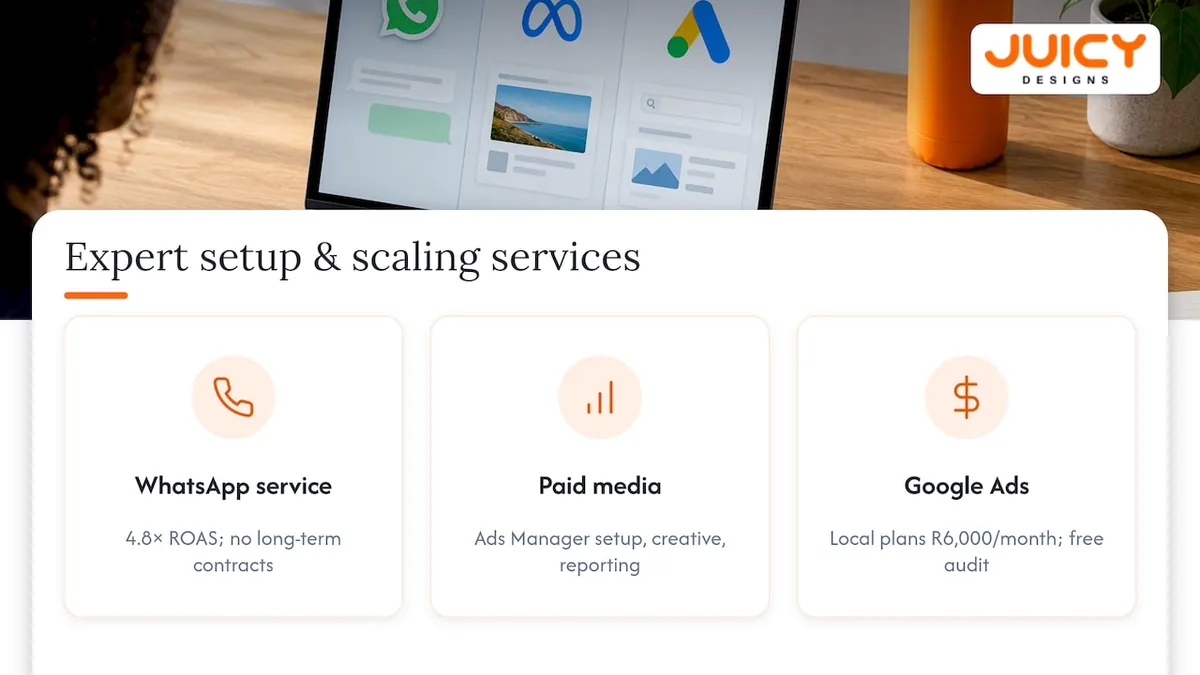
At Juicy Designs, we build and manage these campaigns directly, from Ads Manager setup and pre-filled message testing to WhatsApp automation and reporting that ties every chat back to a rand figure. Our WhatsApp marketing service sits alongside our paid media work, where clients see an average return on ad spend of 4.8x, nearly double the industry standard, and there are no long-term contracts locking you in.
If you'd rather have a founder review your current setup than guess at what's missing, our Google Ads management service starts with plans like Local at R6,000 per month, or you can book a free Google Ads audit to see where your click-to-WhatsApp funnel is leaking.
Where these figures and rules come from
Setup and best-practice steps come from WhatsApp's own ad documentation and advertiser guidance. POPIA requirements are drawn from the Information Regulator's guidance note.
Sources
- Guidance note on direct marketing in terms of the Protection of Personal Information Act (POPIA)
- Improving sales performance via ads that click to WhatsApp with purchase optimisation
FAQ
What is WhatsApp click to chat ads?
Click-to-WhatsApp ads are Facebook or Instagram ads that, when tapped, open a WhatsApp chat with the advertiser instead of a website. They're set up in Meta Ads Manager under the messaging objective, with WhatsApp selected as the destination.
How do I stop ads in WhatsApp chat?
You can block or report a business number directly inside the WhatsApp chat, which stops further messages from that sender. Businesses following WhatsApp's best-practice guidance are also expected to honour opt-out requests and avoid unsolicited follow-up messages.
What is click to chat on WhatsApp?
Click to chat is a link or button that opens a WhatsApp conversation with a specific number, often pre-filled with a starter message. It's the same mechanism that powers click-to-WhatsApp ads, just usable outside paid campaigns too, for example on a website button.
Where to get WhatsApp click to chat?
You create click-to-WhatsApp ads inside Meta Ads Manager by choosing a messaging campaign objective and selecting WhatsApp, as outlined in WhatsApp's own setup guide. For a simple click-to-chat link outside of ads, WhatsApp Business provides a link generator tied to your verified business number.
Recommended
- Build a POPIA-Safe WhatsApp Marketing List
- WhatsApp Business Marketing in South Africa
- WhatsApp Click to Chat from Instagram Ads: Setup Guide
- ROAS Explained: Is Ad Spend Paying Off?